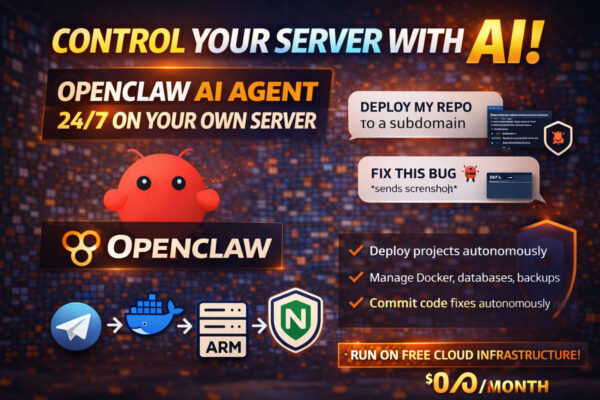

Openclaw is an open-source AI assistant designed to run tasks, not just answer questions.
It runs 24/7 on your own server and communicates with you through Telegram or WhatsApp.
Unlike most AI tools, Openclaw can plan, chain actions, remember context, and execute long-running tasks once you connect the right services.
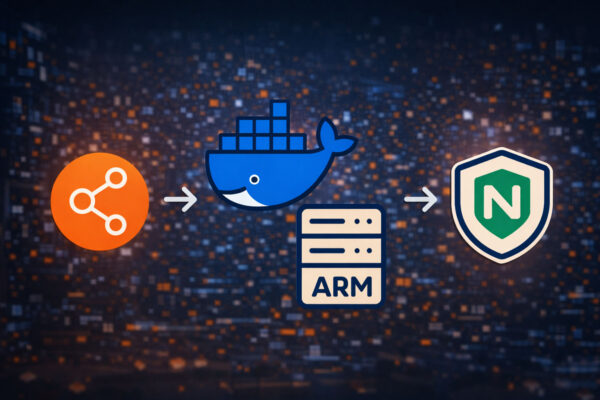
In this guide, you’ll set up Openclaw on Oracle Cloud’s Always Free Tier, using a 24GB ARM server, and talk to it securely via Telegram.
No monthly server cost.
No complex infrastructure.
What you’ll get
- A free 24GB RAM ARM server (Oracle Always Free)
- Openclaw running 24/7 on your own infrastructure
- Secure access via Telegram
- No exposed ports required for Telegram
- A foundation you can extend with Gmail, GitHub, Calendar, Drive, APIs, and more
Step 1: Create a Free Oracle Cloud Server (5 minutes)
1. Create an Oracle Cloud account
Go to:
Sign up or log in.
A card is required, but you won’t be charged.
Note: Free Tier limits and conditions may change over time. Always double-check that Oracle’s Always Free Tier covers your resources to ensure you are not billed.
2. Generate an SSH key (local machine)
On your computer, run:
ssh-keygen -t ed25519 -C "oracle" -f ~/.ssh/id_oracle_ed25519
This creates:
id_oracle_ed25519(private key, keep it safe)id_oracle_ed25519.pub(public key, you’ll upload this)
3. Create the instance
In Oracle Cloud:
- Go to Compute → Instances
- Click Create Instance
Use these settings:
Nameopenclaw-server
Image and Shape
- Image: Ubuntu 22.04 (ARM)
- Shape: VM.Standard.A1.Flex
- OCPUs: 4
- Memory: 24GB
SSH Key
- Choose Paste SSH Key
- Paste the contents of
id_oracle_ed25519.pub
Boot Volume
- 50GB is enough (up to 200GB allowed on the free tier)
Click Create and wait for it to start.
4. Open required ports (Security List)
Telegram works via polling, so no extra ports are strictly required.
SSH must be open.
Recommended ingress rule:
- Source:
0.0.0.0/0 - Protocol: TCP
- Port:
22
That’s enough for Openclaw + Telegram.
5. Connect to the server
ssh -i ~/.ssh/id_oracle_ed25519 ubuntu@YOUR_PUBLIC_IP
Step 2: Install Openclaw (2 minutes)
Once connected to the server, run:
curl -fsSL https://openclaw.bot/install.sh | bash
Then start the onboarding wizard (recommended):
openclaw onboard --install-daemon
Step 3: Run the Setup Wizard (10 minutes)
Recommended choices:
- Quick start
- Choose your AI provider (OpenAI or Anthropic)
- Paste your API key when asked
- Select your preferred model
- Choose Telegram as your channel
Step 4: Create a Telegram Bot (5 minutes)
1. Create the bot
In Telegram:
- Search for @BotFather
- Send:
/newbot
- Choose a name and username
- Copy the bot token
2. Paste the token into Openclaw
On the server:
openclaw config set channels.telegram.botToken "<YOUR_BOTFATHER_TOKEN>"
openclaw config set channels.telegram.dmPolicy pairing
Step 4.1: Pair Your Telegram Account (Important)
Creating the bot is not enough.
You must pair your own Telegram account so only you can talk to it.
1. Message your bot
Open your bot in Telegram and send:
hi
You’ll see your Telegram user ID and a pairing code.
2. Approve the pairing
Back on the server:
openclaw pairing approve telegram <PAIRING_CODE>
Step 5: Start the Gateway
openclaw gateway --force
Tip: keep it running inside screen or tmux so it stays online.
Step 6: Quick Tests (Works Out of the Box)
Send these to your bot in Telegram:
Planning
plan my week with deep work in the mornings
Research
research [company name] and give me a 3-bullet summary
Writing
draft a linkedin post about [topic]
Reminders
remind me to review this idea tomorrow at 9am
Important: Tasks That Require Integrations
Openclaw only accesses services you explicitly connect to. These will not work until you add integrations:
check my last 10 emails and tell me which need a reply
Calendar
check my calendar and find time for a call tuesday
GitHub
review my last commit and suggest improvements
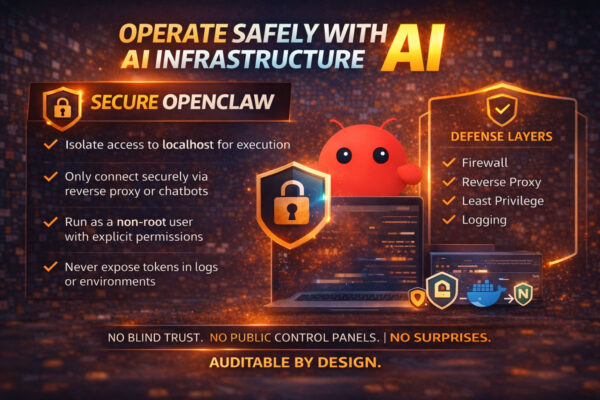
This is intentional and safer by default.
Cost
- Oracle Cloud Always Free server: $0
- AI usage: variable, pay-as-you-go via API
- Infrastructure: no hidden costs
Openclaw does not require a fixed subscription. You pay only for API usage based on how much the assistant runs tasks and generates responses.
Because Openclaw is model-agnostic, you can switch providers later without changing your infrastructure.
What to Do Next
- Connect Gmail, Calendar, GitHub, or Drive
- Add web search
- Run multiple agents in parallel
- Use voice notes on Telegram instead of typing
If something breaks, paste the error into the bot and ask it to fix itself.
Documentation
Official documentation: